Building a Local LLM Box That Doesn't Need Babysitting
Local AI gets talked about as either useless or revolutionary. The reality is more annoying than that, which usually means more interesting.
This was not built to replace cloud models tomorrow. It was built to find the boundary — the line where running models on your own hardware stops being a novelty and starts being useful, and the line past which it quietly stops being worth it. But there was a second goal underneath that one, and it shaped every decision: it had to run stable for day-to-day work with minimal fiddling. A homelab that has to be nursed back to health every week is not an asset, it is a second job. The target was an appliance, not a project that is permanently 90% finished.
So: the rig first, then the software, then the honest accounting of what it’s good for.
The rig
The base is a Minisforum MS-02 Ultra — a small-form-factor machine that punches well above its footprint.
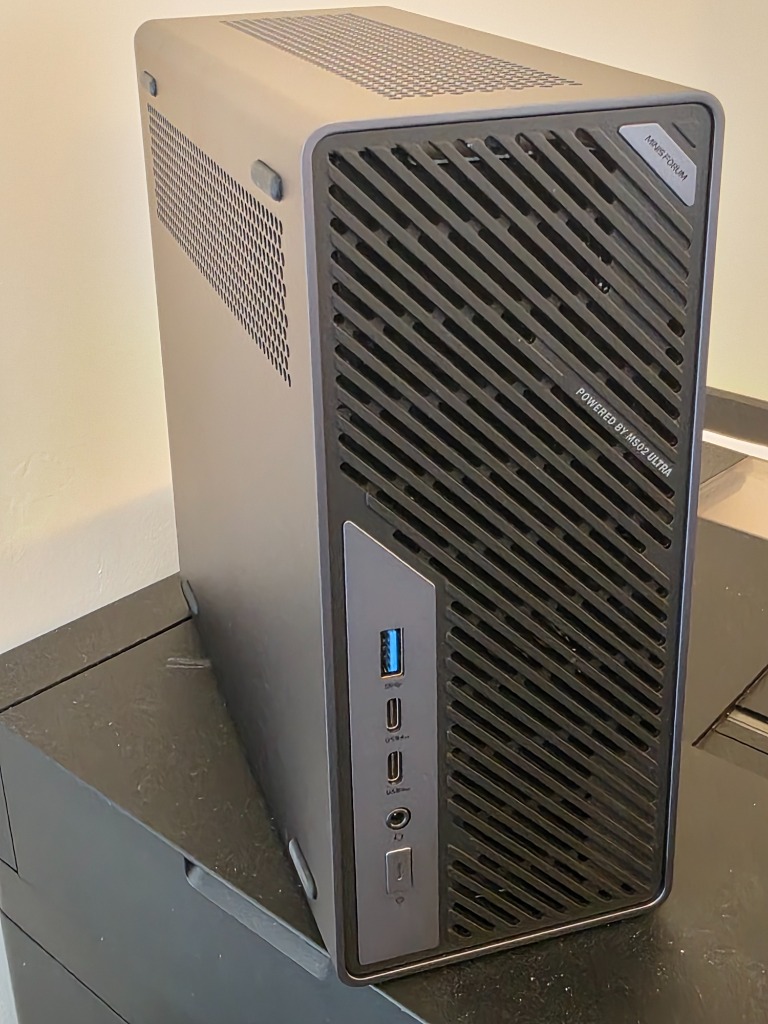
It is not much bigger than a thick paperback stood on end, and the front grille does most of the cooling work. Front I/O is generous for the size: USB-A, two USB4 ports, audio, and an OCuLink connector at the bottom for external PCIe — which matters more than it sounds, because it means the GPU story does not have to end at what fits inside the case.
Inside, it is dense.
128GB of DDR5-4800 fills the SO-DIMM slots. Storage is split across two WD Black SN750 NVMe drives, 1TB and 500GB. Worth a note for anyone copying this: the SN750 is a Gen3 drive, which is fine for OS and model storage — the one place you might feel it is cold-start latency when a big model is first read off disk, and a faster Gen4 drive is a cheap upgrade if that wait starts to annoy.
The reason this box exists, though, is the card.
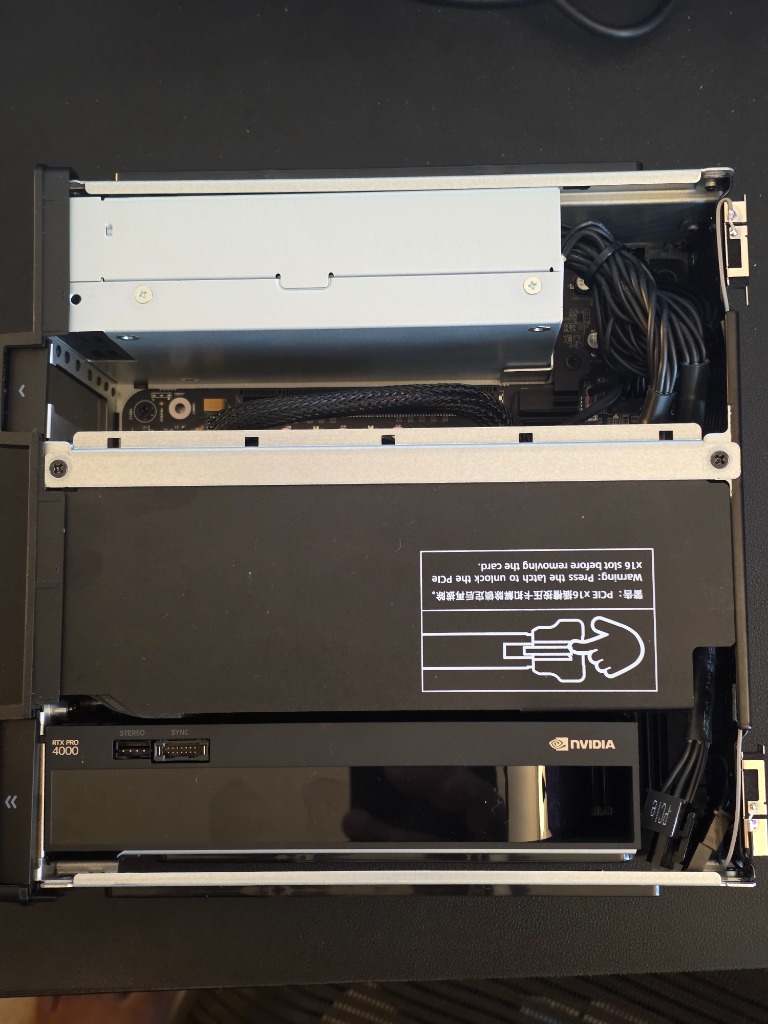
An Nvidia RTX PRO 4000 (Blackwell generation) sits in the x16 slot, with 24GB of VRAM. This is the part that turns a small mini-PC into an inference machine — enough VRAM to hold a useful model resident without constant paging, in a card that fits a chassis this size.
The blower-style cooler is the right call for a case this tight: it pushes heat out the back rather than recirculating it, which a small enclosure cannot afford. Thermals are the real constraint in a build like this, not compute. The machine is silent at idle and audible under sustained load, which is the expected tradeoff for the volume.
That is the whole point of the form factor. The compute density is here; the only thing being traded away is the slack that a full tower would give you on cooling and expansion.
Ubuntu Server, not desktop
The OS choice was deliberate. Ubuntu Server, headless, no desktop environment.
A box whose only job is inference does not need a GUI consuming VRAM and cycles. Everything is reached over SSH, the GPU stays dedicated to models instead of rendering a desktop nobody is looking at, and the whole thing can live on a shelf without a monitor attached. The Nvidia drivers and CUDA toolkit go on, and nvidia-smi confirms the card is seen before anything else gets built on top.
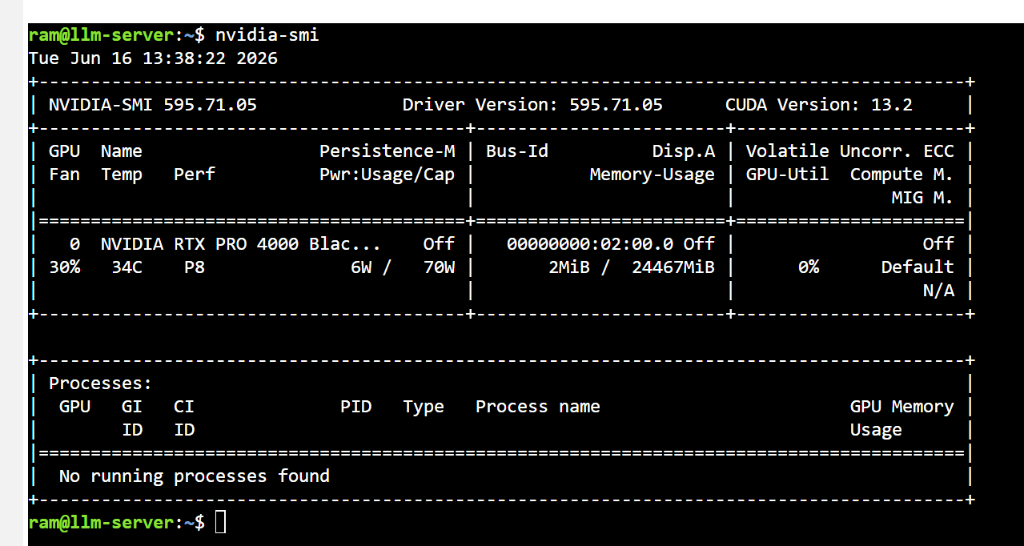
That idle reading is the state worth designing for: the card sitting at 34°C drawing 6W with no processes running, ready but not working. An appliance should be boring when nothing is asking of it.
The stack, managed as containers
Everything above the OS runs in Docker, orchestrated through Dockge so the whole stack is visible and restartable from one place rather than scattered across hand-edited unit files.
Five containers, all active:
- Ollama — the model runtime. Pulls and serves models, handles the GPU.
- OpenWebUI — the front end. A clean chat interface over Ollama, plus the place where search and other tools get wired in.
- SearXNG — a self-hosted metasearch engine, so any web retrieval stays private and under local control.
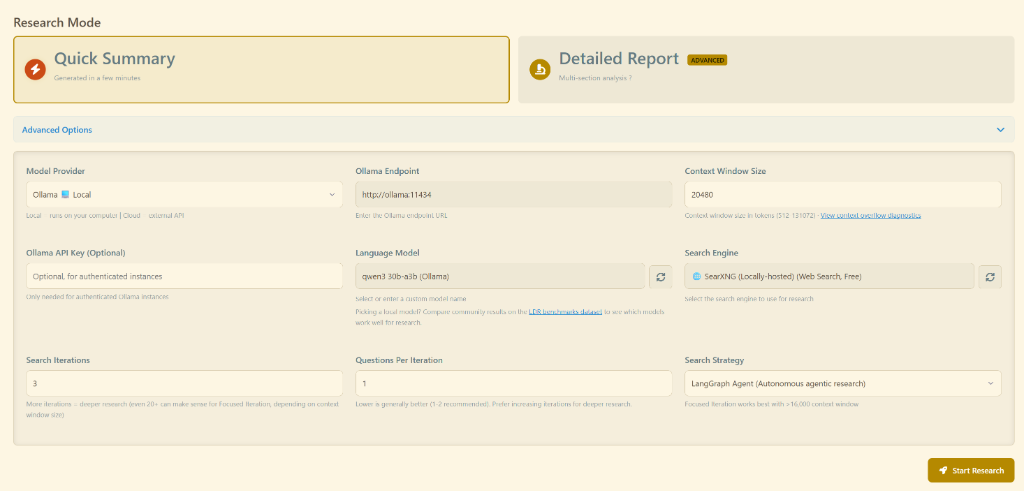
- ldr-agent — a local deep-research agent. This is the piece that turns the box from “chat with a model” into “give it a question and let it actually go look things up,” running multi-step research locally instead of against a hosted service.
- Dockge — managing the other four.
Keeping all of it in containers is the single biggest reason the thing stays stable. Nothing is installed directly against the OS except drivers and CUDA. A container can be restarted, rebuilt, or rolled back without touching the host, which is exactly the property a no-firefighting setup needs.
The minimal-tuning principle
Here is the bias that ran through the whole build, and it is worth stating plainly: fine-tuning is something to avoid, not chase. The goal was a stack that works well enough out of the box that it does not need constant tweaking to stay useful.
That sounds like laziness. It is actually a design constraint, and a strict one. Every knob that has to be tuned by hand is a knob that drifts, breaks on an update, or has to be re-learned three months later when something stops working and nobody remembers why. A setup that depends on careful tuning is a setup that depends on its owner being available to fix it. The opposite of an appliance.
So the choices skewed toward defaults that hold. Pick models that are good enough at their job without a custom system prompt babysitting them. Prefer stable, well-trodden container images over bleeding-edge ones. Let the deep-research agent and the search path work with sensible defaults rather than a fragile chain of hand-tuned settings. The aim was never the most capable possible setup — it was the most capable setup that keeps running while attention is elsewhere.
Making it useful
With the hardware proven and the stack stable, the question becomes the interesting one: what is local inference actually good for?
A few things turned out to work well. Casual technical exploration is the strongest fit — rough coding help, command explanations, shell snippets, config questions, “what is this error probably about.” Good enough to keep momentum, even when not always great. Summarizing one’s own notes is another good fit: narrow context, bounded task, a focused chunk of text handed in for cleanup or extraction. And low-stakes background work — summarize this log, explain this config, draft a first-pass script, turn rough notes into a checklist — is exactly where a “pretty good assistant” saves real time and perfect reasoning is not required.
The pattern across all of those: bounded scope, reviewable output, low cost of being a little wrong.
The ldr-agent earns its place here too. For a question that needs several searches and some synthesis rather than a single answer, handing it off to a local research agent — one that uses the self-hosted SearXNG and keeps the whole loop on the machine — is the kind of task that would otherwise mean a dozen browser tabs.
What broke
Search was the first real frustration, and getting SearXNG wired into OpenWebUI was the most painful part of the whole build. On paper it is simple: SearXNG returns results, OpenWebUI calls search, the model sees the snippets. In practice, getting from “connected” to “working” took real effort — the kind of fiddling the rest of the stack was deliberately built to avoid.
Once it was done, though, it works. Not always perfectly — internet search still breaks sometimes, and the honest truth is I have not fully isolated whether the fault is OpenWebUI or SearXNG when it does. A query will occasionally come back empty or never complete, and the cause is somewhere in that handoff. It is the one part of the stack that is not yet boring.
But even with that caveat, running search from inside the home network is its own win. The retrieval path stays private, nothing about what is being searched leaves the machine, and a self-hosted metasearch engine does the work instead of a hosted service watching the queries. Intermittent flakiness on a private search path is a better problem to have than perfect reliability on someone else’s.
There is a familiar lesson buried in this, and it comes straight from data engineering: a pipeline can be connected and still not be dependable. Ingestion is not understanding. Data reaching the system is not the same as the system using it correctly. “Web search enabled” is a checkbox, not a capability, unless the retrieval path is clean, the context is sufficient, and the prompt actually forces grounding in what came back. Search is the one place in this build where that gap is still visible.
Model selection was the second surprise. Model names look simple until parameter counts, quantization, context length, dense-versus-MoE behavior, and VRAM ceilings all enter at once. A model that downloads and runs is not automatically the right one. Some are fast but shallow, some smarter but too slow for daily use, some code well but follow instructions poorly, some fine until long context or search shows up. The 24GB of VRAM on the card sets a clear ceiling here, which actually helps — it narrows the field to models that fit and run comfortably, rather than leaving every option open.
The third was expectation mismatch. A model on local hardware is not a quiet equivalent of the best hosted one. Expect cloud-level reasoning, tool reliability, and speed from it and the result is disappointment. Treat it as a local assistant for bounded tasks and it earns its place.
Local AI is not “cloud AI, but cheaper”
That was the biggest correction. The advantage of local is not mainly cost — it is control. Control of the machine, the model, the data path. The freedom to run odd experiments, wire the thing into local files, and keep using it when some API changes underneath you.
But the pain comes back with the control. Drivers, VRAM limits, model selection, slow inference, bad defaults, search integration, context management, updates, storage, thermals. Cloud hides all of that on purpose. Local hands it back in exchange for ownership — which is precisely why the minimal-tuning, container-everything, appliance-not-project discipline matters. The control is only worth having if the thing does not collapse into a maintenance burden that erases the gain.
Where it lands
The conclusion is not “local AI is the future” and not “local AI is useless.” It is narrower than either.
Local inference earns its keep when the work is bounded, the stakes are low or reviewable, and the value of privacy and control outweighs the friction. Cloud is still better when the job needs the strongest reasoning, dependable tool use, current knowledge, or simply less operational pain. The realistic answer is not one or the other — it is routing tasks honestly between them. Local for rough work, private context, drafts, scripts, and background research. Cloud for final reasoning, high-stakes review, and anything where quality matters more than control.
There is one more thing the build taught, and this is the part I keep coming back to as someone who builds products: a homelab is less a hobby shrine than a product lab. It forces the questions that matter before anything ships. Can this run locally? Is the model good enough? How much latency is tolerable? Where does the UX break? What should be deterministic instead of model-driven? And the sharpest one — what would a normal user never put up with? Technical people forgive far too much: bad setup steps, cryptic errors, manual restarts, unreliable behavior, all tolerated because the puzzle is fun. Most users tolerate none of it. Building for stability instead of for tinkering is the same discipline a shipped product needs, which is why the boring appliance is the more instructive build.
Local AI is not magic. But it is a very good lab. And for a builder, the lab is often where the best ideas actually come from.
More on Local AI & builder infrastructure 72 GB of VRAM, No Graphics Card →